

Two Ball 3D: Play Free Online
Free • No download • No sign up • Plays in your browser
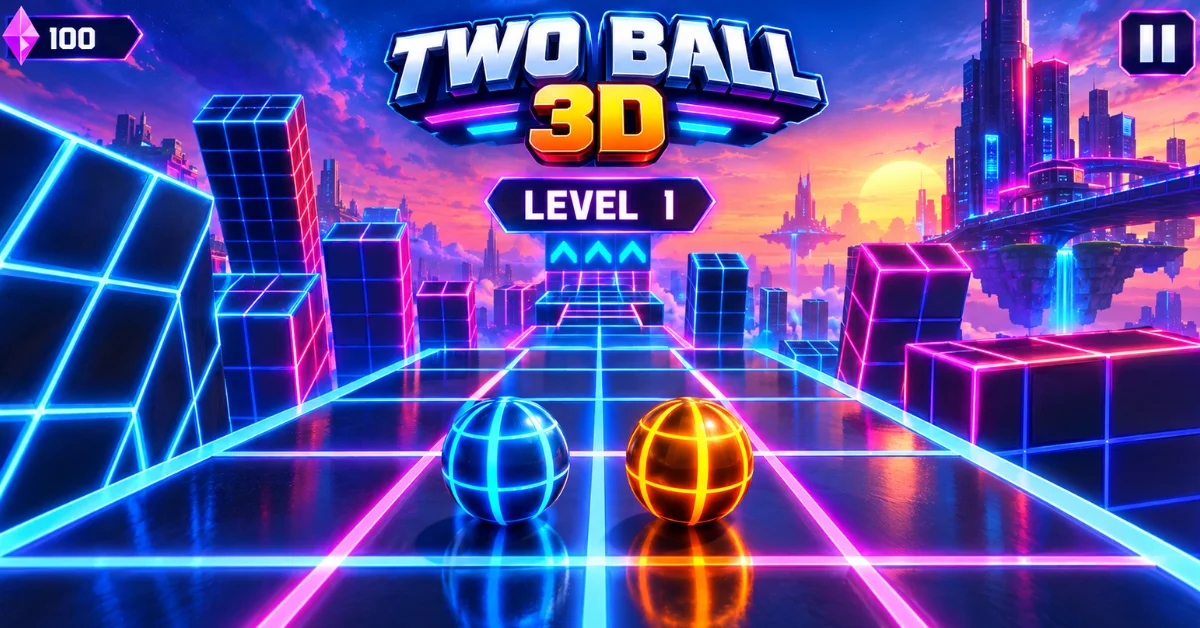
Two Ball 3D drops you onto a narrow track of cubes with a ball that never stops rolling. It's an endless rolling game, your only input is left or right and the whole point is to stay on the track as long as you can. Play alone to chase a distance record or bring a friend and race on a split screen where the first ball to fall loses the round.
Most pages for this game stop at a short description and a play button. Here you'll also find how a two player round is decided, what each shop bonus is worth, how this version compares with Two Ball 3D Dark and what to do when the game stops responding. Take one run first, then come back for the details.
How to Play Two Ball 3D
A and D, or the left and right arrow keys, are the whole control scheme. The ball rolls forward without your help. You move it sideways to stay on the cubes, dodge obstacles and pick up diamonds, and how far you get is your score.
- LeftA or ←
- RightD or →
Ramps do two jobs at once, they add speed and can carry you over gaps, which makes them useful and risky in equal measure. You can also ride along the side of a block for a moment, but you need solid ground back under the ball quickly. When the track narrows the middle is the safest place to be, because it leaves room to correct in either direction.
Two Player Mode on One Keyboard
Two players, one computer, one split screen. Player 1 takes the left screen and steers with A and D; player 2 takes the right screen with the arrow keys. The first ball to fall ends the round. That rule makes patience a strategy. You don't have to outscore anyone, you only have to stay on the track longer than they do.
- Player 1Left half of the split screen, steers with A and D
- Player 2Right half of the split screen, steers with ← and →
- Round endsThe first ball to fall loses
A and D sit at the left end of the keyboard and the arrows at the right, so two people can sit side by side without fighting over space. If one side starts ignoring keypresses, blame the keyboard before the game. Some cheaper and laptop keyboards drop inputs when several keys are held at once and plugging in a separate keyboard settles it quickly. Two seats, one keyboard: press play above and start round one.
Diamonds, the Shop and Bonuses
Every diamond you pick up goes toward the shop. Three bonuses are on sale there: a diamond magnet, a 2x diamond counter and armor against traps. The publisher frames them as single player helpers, so a game night with a friend won't touch them.
| Bonus | What it does |
|---|---|
| Diamond magnet | Pulls diamonds in so they arrive faster |
| 2x diamond counter | Doubles the diamonds that arrive, which pays off once you're shopping |
| Armor | Lets you survive a trap that would otherwise end your run |
Only one of the three protects a run directly. The magnet and the 2x counter make diamonds arrive faster, which pays off once you're shopping, while armor lets you survive a trap that would otherwise end your run. If distance on the leaderboard is what you care about, armor is the first purchase to make.
Two Ball 3D vs Two Ball 3D: Dark
The original and Two Ball 3D Dark are separate releases, though some sites treat them as one game. Dark adds a longer view of the track, wings on ramp jumps, keyboard shortcuts for bonuses and six ball skins.
| Feature | Two Ball 3D | Two Ball 3D: Dark |
|---|---|---|
| Look | Flat graphics, relaxed feel | Dark theme |
| View distance | Standard | Very long |
| Ramp jumps | Standard | Wings open |
| Bonus shortcuts | Not listed | 1 armor, 2 magnet, 3 double counter |
| Ball skins | Not listed | Six |
Playing on Phone or Tablet
There's an official app from the same publisher, but the store names don't match. On iPhone and iPad it's listed as Two Ball 3D. On Google Play the listing is titled Two Ball 3D, Dark. Check which one you're installing before you tap the button. This page is built around keyboard keys, so it's a desktop or laptop experience - if you're on a tablet and want something built for touch, the rest of the arcade games collection is a better place to look.
When the Game Won't Start or Keys Do Nothing
A frequent cause is simply that the page hasn't given the game keyboard focus, because browsers send key presses only to the frame you last clicked.
- Click inside the game area, then press a key.
- If the screen is still blank after loading, give it 10, 15 seconds.
- Reload the page or switch to fullscreen.
- Try another browser or pause extensions that block scripts.
Frequently Asked Questions
Can I play Two Ball 3D unblocked at school or on a Chromebook?
A Chromebook can open it because it runs in the browser with nothing to install. Unblocked isn't something the game controls, though. If your school's filter blocks the site or the game frame, no version of the page can get around that, so be wary of any site that promises it will.
Can two people play Two Ball 3D online?
Not as far as the publisher describes it. The two player mode is built for one device, so an online match with a friend needs a different game.
Is Two Ball 3D safe for kids?
The iOS listing is rated 4+ and the developer states that the app collects no data. Those are the publisher's own declarations on the store page, not an independent review, so check the ads and links around any browser version before handing it to a young player.
Is Two Ball 3D the same as Slope?
No, though portals often describe it as Slope style: a ball, a narrow track, steering left and right. The two player mode is the big difference.
Should I start with the original or Dark?
Start with the original if you want to learn the rhythm without much happening on screen. Move to Dark once you want a longer look at what's coming, since seeing further ahead should give you more time to react.