
More like this
 Works on phone Cannon Basketball 4
  Works on phone Basket Random
  Works on phone Volley Random
  New Works on phone Basketball Bros
  Works on phone Mini Putt
  Works on phone X-Trial Racing
  Works on phone Adventure Drivers
  Cars Simulator
  Works on phone 99 Balls
  Alien Hominid
  Amazing Rope Police
  Works on phone Angry Sharks
 Adrenaline Challenge: Play Online, Controls & Tips
Free • No download • No sign up • Play in your browser
Play Adrenaline Challenge online and take on its tricky motocross courses. Your goal is to simply ride through each map, collect the required tags, avoid crashing into the walls and reach the exit. The controls are easy to learn but the later sections require much better control of your speed and bike balance.
How to Play an Adrenaline Challenge?
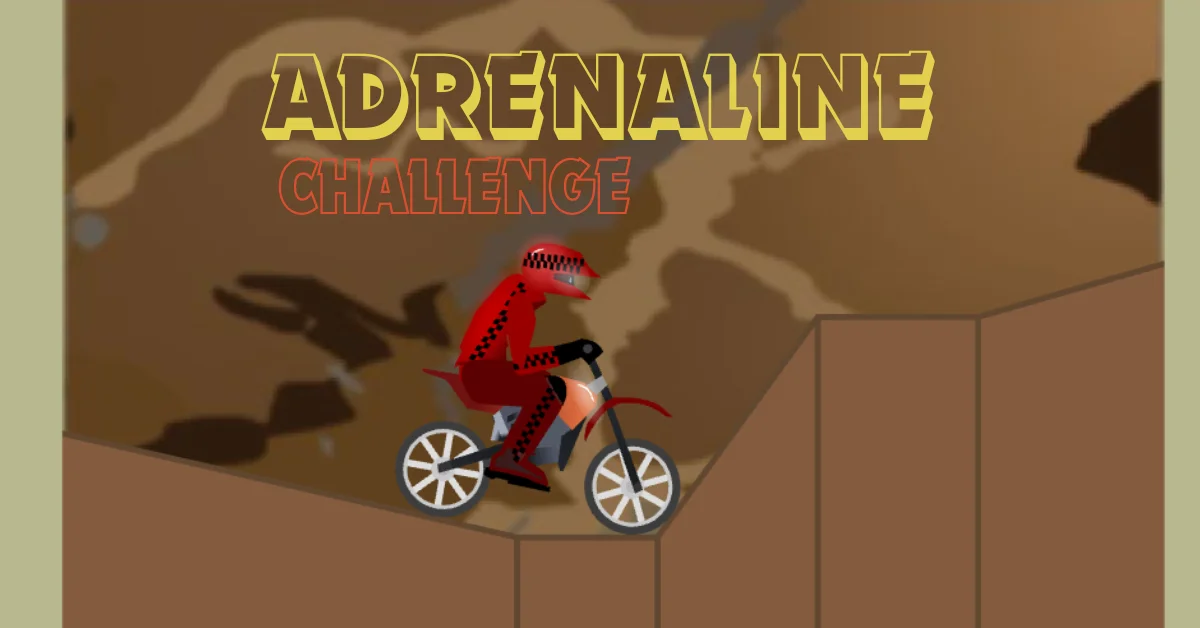
Adrenaline Challenge is not a normal racing game where you simply accelerate toward the finish line. You need to control the motocross bike carefully while moving through obstacle filled maps. The main objective is to collect the tags around the map and then reach the exit. Crashing into the walls can end your attempt so rushing through a section is often worse than slowing down and setting up the next move.
The original game was released in 2005 by Kianis and Blackmaze and was described by its creators as a mix of Elastomania and trail bike games. It contains ten maps, with challenges that can also unlock skins and secrets.
Adrenaline Challenge Controls
| Key | Action |
|---|---|
| Up Arrow | Accelerate |
| Down Arrow | Reverse / slow down |
| Left Arrow | Tilt the bike |
| Right Arrow | Tilt the bike |
| Space | Change direction |
The most important controls are the arrow keys. Acceleration gets you moving while the left and right arrows help you control the bike's position in the air and around obstacles. The Space key is easy to overlook. It can be used to change direction, which becomes useful when you need to reposition the bike instead of continuing forward.
Tips for Beating Difficult Sections
The biggest mistake is trying to finish every section at full speed.
Control your speed
Use the Up Arrow when you have a clear path, but ease off when approaching a tight section. A little extra speed can turn an otherwise safe landing into a crash.
Make small corrections
You do not always need a large movement. Small left or right adjustments can be enough to keep the bike positioned correctly.
Learn the route
If you crash in the same place repeatedly, remember the approach instead of simply trying again at the same speed. The game becomes much easier once you know where you need to slow down or change your position.
Use reverse when necessary
Getting into a bad position does not always mean the attempt is over. The Down Arrow can help you back away and set up the next move.
Why Is Adrenaline Challenge Difficult?
The controls themselves are simple. The difficulty comes from combining speed, positioning, balance and obstacle awareness. You have to think about what is coming next rather than only reacting to the obstacle directly in front of the bike. That is why a slower attempt can sometimes be much more successful than a fast one.
The original game also includes challenges and unlockable skins and secrets, giving players another reason to keep working through the maps.
Is the Adrenaline Challenge Still Playable?
Yes but there is an important technical detail Adrenaline Challenge is an old Flash game. Adobe Flash is no longer supported by modern browsers so preserved versions of the game rely on Flash emulation rather than the original browser plugin. Ruffle is one of the projects that provides Flash emulation for modern browsers and desktop systems.
This also means compatibility can depend on the version of the game player or emulator being used. If a particular online version does not load correctly, that does not necessarily mean the original game itself is unavailable.
Adrenaline Challenge Cheats
The original Newgrounds page lists a few built-in cheat codes:
| Cheat code | Effect |
|---|---|
| Home + End | Skip the current level |
| BANANA LOVE | Unlock the monkey skin |
| KING CHRISTIAN | Enable God Mode |
The original author page also points players toward additional cheats. Cheats can be useful if you are stuck on a particular map but playing through the levels normally gives you a better feel for the game's controls and difficulty.
Final Thoughts
Adrenaline Challenge is a good example of why some old browser games are still worth playing. The controls are simple but the maps demand patience and careful movement rather than constant acceleration. If you are new to the game, focus on controlling your speed, making small corrections and learning the route. Once those basics become familiar the harder sections become much more manageable.
Next step: Start with the first map, learn how the bike responds to the arrow keys and build your speed gradually instead of trying to rush through the course.
My Personal Experience & Review
I played Adrenaline Challenge myself before recommending it to users and I really enjoyed it. The controls feel smooth and responsive while the levels remain interesting and challenging enough to keep you playing. Overall, it is a fun classic browser game that I would definitely recommend to anyone who enjoys bike games and simple but challenging gameplay.
Frequently Asked Questions
Is Adrenaline Challenge free to play?
The original game was released as a Flash browser game, and preserved versions can be played online through compatible game players or Flash emulation.
How many levels are in the Adrenaline Challenge?
The original game has 10 maps.
What are the controls for Adrenaline Challenge?
Use the arrow keys to accelerate, reverse and tilt the bike. The Space key changes direction.
What is the goal of the Adrenaline Challenge?
You need to navigate each map, collect the required tags, avoid crashes and reach the exit.
Is Adrenaline Challenge a Flash game?
Yes. It was released in 2005 as a Flash game. Modern versions need a compatible preservation method or Flash emulator because the original Flash browser plugin is no longer supported.
Can I play Adrenaline Challenge without Adobe Flash?
Modern preserved versions can use emulation such as Ruffle instead of the original Adobe Flash Player. Ruffle supports Flash content in modern browsers and also provides desktop applications.