

DOOMORI: Play Free Online FPS Game
DOOMORI is a short first person shooter that mixes the world and style of OMORI with the fast paced shooting gameplay associated with DOOM. It is a fan made parody created by Totally Fungal and the original game can be played directly in a browser or downloaded for Windows.
If you want to play DOOMORI without installing anything, the browser version is the easiest option. The game focuses on movement, aiming, shooting, exploration, and getting through its strange OMORI inspired environments.
What Is DOOMORI?
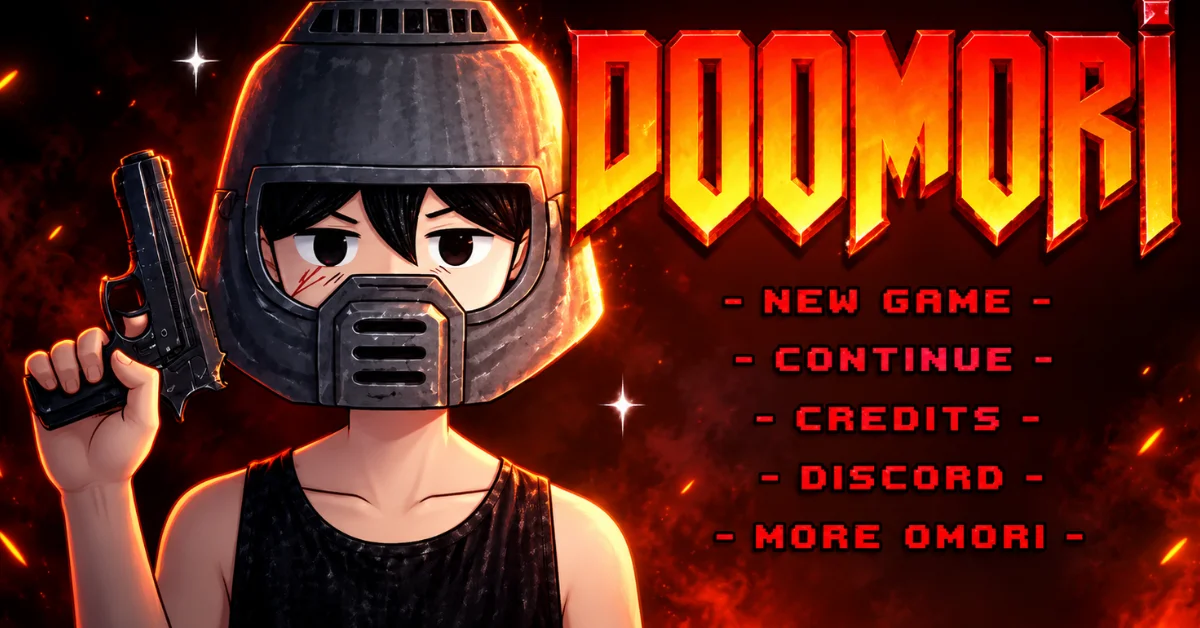
DOOMORI is a fan made OMORI and DOOM parody that turns the familiar OMORI style world into a first person shooting experience. Instead of playing a traditional turn based RPG, you move through 3D environments, aim with your mouse and fight enemies with weapons. The original game takes players through areas including Vast Forest, Otherworld, Black Space and Faraway.
The game was made by Totally Fungal, the same team behind OMORI Multiplayer. It was built with Unity and released for both browser play and Windows. DOOMORI is not an official OMORI sequel or an official DOOM game. It is a separate fan project that combines ideas from both games into its own short shooter experience.
How to Play DOOMORI
The basic gameplay is straightforward: move around the environment, look for threats, aim accurately and shoot your way through the areas. The game is designed around keyboard and mouse controls so a desktop or laptop is the better way to play. If you're coming from a traditional FPS the controls should feel familiar.
DOOMORI Controls
| Action | Control |
|---|---|
| Move | WASD / Arrow Keys |
| Aim | Mouse |
| Shoot | Right Mouse Button |
| Reload | R |
| Fullscreen | F11 |
Take a moment to get used to aiming before rushing into combat. Positioning matters because simply running forward and shooting everything immediately is not always the safest approach.
Can You Play DOOMORI Online Without Downloading?
Yes. The original DOOMORI has an HTML5 browser version so you can play it without installing the Windows version. This is the most convenient option if you just want to try the game quickly. The downloadable Windows version is available separately through the creator's itch.io page.
For the browser version, use a desktop browser with a keyboard and mouse. DOOMORI is not a game I would recommend approaching as a touch first mobile title.
Is DOOMORI Free?
Yes. DOOMORI is available to play for free. The creator provides the browser version as well as a downloadable Windows version. The project is made by a small volunteer team, with optional donations supporting the creators. That makes DOOMORI particularly easy to try; you can start with the browser version before deciding whether you want the downloadable version.
What Makes DOOMORI Different?
The main attraction is the unusual combination of two very different game styles.
- OMORI influence: The game uses recognizable locations, characters, visual ideas and themes associated with OMORI.
- DOOM influence: Instead of traditional RPG combat, DOOMORI puts the player into a first person shooter environment with weapons, aiming and fast combat.
- Short gameplay: DOOMORI is designed more like a compact fan game experience than a huge commercial FPS. That makes it a good choice when you want something unusual that you can start playing quickly.
Is DOOMORI Difficult?
DOOMORI is not a traditional easygoing OMORI style adventure. Its first person shooting gameplay means you need to pay attention to movement, aiming, enemies and positioning. Your experience will also depend on how comfortable you are with keyboard and mouse FPS controls.
If you normally play shooters the basic controls should be easy to understand. If you rarely play FPS games, give yourself some time to adjust before judging the difficulty.
DOOMORI Browser Version vs Windows Download
| Feature | Browser Version | Windows Version |
|---|---|---|
| Installation | No | Yes |
| Quick to start | Yes | Requires download |
| Platform | HTML5 | Windows |
| Best for | Quick testing | Local installation |
| Keyboard & mouse | Yes | Yes |
If you simply want to play DOOMORI right now the browser version is the convenient choice. If you prefer keeping the game installed locally the Windows version is available from the creator.
Is DOOMORI Available on Mobile?
DOOMORI is primarily a desktop focused game. The creator lists HTML5 and Windows as its platforms, while Y8 specifically describes the game as designed for desktop play with a keyboard and mouse. Because the game relies on mouse aiming and keyboard controls, I would not treat the browser version as a proper mobile/touch game. If you are using a phone or tablet, compatibility may therefore be limited compared with playing on a PC.
What Is DOOMORI - ETERNAL?
DOOMORI - ETERNAL is the sequel to the original DOOMORI. It continues the same general idea of combining OMORI inspired material with DOOM style first person shooting but it is a separate and larger game. The creator lists DOOMORI - ETERNAL for HTML5 and Windows.
The browser version is a demo containing the first two levels while the full Windows version can be downloaded separately. If you finish the original DOOMORI and want more of the same concept, ETERNAL is the natural next game to try.
My Personal Experience & Review
I personally played DOOMORI before recommending it and the experience was genuinely impressive. The gameplay feels smooth, adventurous, and interesting, with responsive controls that make exploration and shooting enjoyable. Overall, I found it an amazing game worth trying, especially if you enjoy adventure and FPS style gameplay.
Conclusion
DOOMORI is worth trying if you like unusual fan games, first person shooters or OMORI inspired projects. Its biggest appeal is the strange combination of OMORI's world and characters with fast FPS style gameplay.
The browser version also makes it easy to try without committing to a download. For the best experience use a desktop or laptop with a keyboard and mouse. If you enjoy the original, DOOMORI - ETERNAL is the next game to check out.
Frequently Asked Questions
Is DOOMORI an official OMORI game?
No. DOOMORI is a fan made parody created by Totally Fungal. It is not an official OMORI release from OMOCAT.
Is DOOMORI an official DOOM game?
No. It is a fan project inspired by DOOM and OMORI rather than an official DOOM title.
Can I play DOOMORI in my browser?
Yes. The original DOOMORI has an HTML5 version that can be played in a browser.
Do I need to download DOOMORI?
No. You can use the browser version. A Windows download is also available if you prefer an installed copy.
What are the DOOMORI controls?
You use WASD or the arrow keys for movement, the mouse for aiming the right mouse button to shoot and R to reload. F11 can be used for fullscreen.
Can I play DOOMORI on mobile?
DOOMORI is designed primarily for desktop keyboard and mouse play. The official platform listing does not list Android or iOS for the original game.
Is DOOMORI single player?
Yes. The original DOOMORI is a single player shooter.
Is there a DOOMORI sequel?
Yes. DOOMORI - ETERNAL is the sequel and is also available from Totally Fungal.