
More like this










Flight Fun Simulator 3D: Fly, Race and Land Online Free
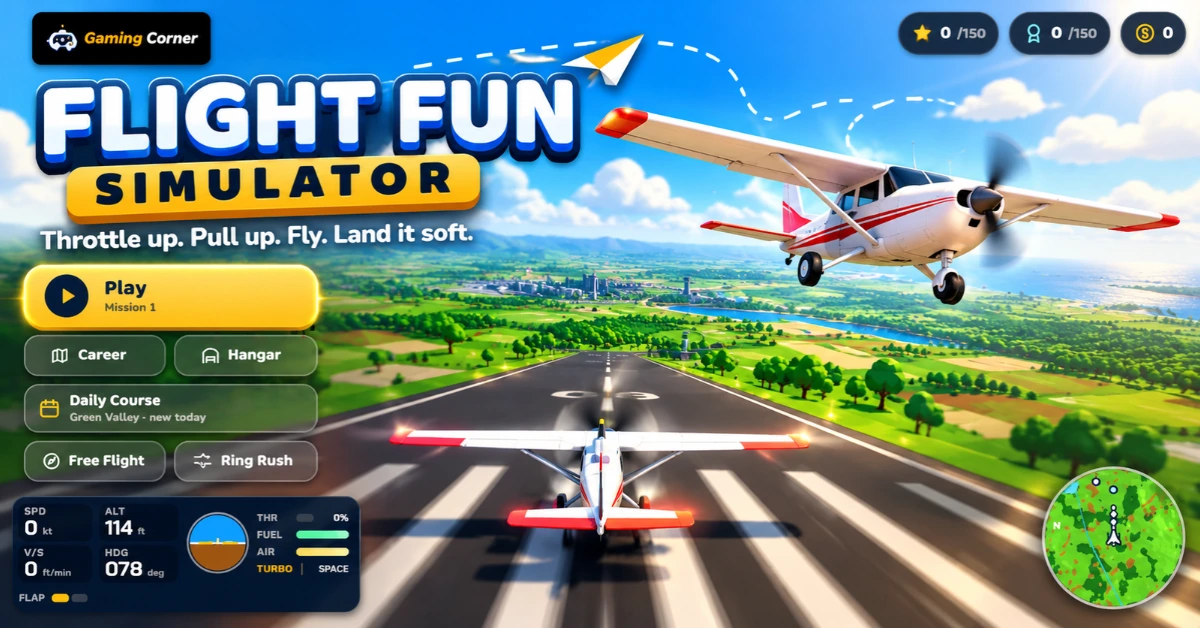
Flight Fun Simulator 3D is a free arcade flight simulator from Gaming Corner. You can take off from a runway, steer a plane through rings, land in crosswinds, fly a rescue helicopter, drop cargo and race a jet through a desert storm. It runs in your browser without a download, installation or account, and the flight model is easy enough to learn while every mission still gives you something specific to master.
What Is Flight Fun Simulator 3D?
Flight Fun Simulator 3D is a mission-based airplane game online with a light simulation feel. The controls include pitch, roll, rudder, throttle, flaps, landing gear, brakes and turbo, so flying a plane here is more involved than steering a character around a screen. At the same time, it is not a study-level PC flight sim: the game uses arcade handling, clear objective markers and optional flight assistance so new pilots can get into the air quickly.
The game is a good fit for anyone searching for a 3D flight simulator that opens instantly in a browser. You can play a structured career, explore without a mission, chase rings against a timer or fly a new Daily Course. The aircraft range from a forgiving high-wing trainer to an amphibian, helicopter, twin-engine cargo plane and fast jet. Each machine changes how you take off, turn, land and use space around the runway.
50 Missions Across Five Flight Regions
Career mode contains 50 missions in five regions. Green Valley introduces runway takeoffs, ring courses, crosswind landings, farm deliveries and crop drops. Sunny Islands adds water landings with the Pelican Amphibian, cargo runs between islands and firefighting missions where you scoop water from the sea and release it over a blaze.
Snow Peaks shifts the challenge to helicopter hover control, mountain rescues, glacier strips and a snowstorm finale. Harbor City combines night landings, bridges, rooftop pickups and dense scenery. Red Canyon is the jet chapter: narrow routes, low visibility, dust, rain and lightning raise the speed and precision required.
Mission goals include flying through rings, making controlled runway or water landings, delivering parcels, dropping crates, photographing landmarks, rescuing people and putting out fires. Each regular mission offers three stars and three challenge badges, while every tenth mission is a boss-style test that combines several skills. Stars and badges earn coins that you can spend on aircraft, performance upgrades and cosmetic colours.
Aircraft, Upgrades and Hangar Customization
You begin with the Sparrow Trainer, a stable starter plane. The Kestrel Stunt biplane adds a faster roll rate for aerobatics and ring chasing. The Pelican Amphibian can land on water when its gear is up, carry crates and scoop water for firefighting. The Dragonfly helicopter can hover and uses a different throttle model, while the Heron Twin carries more cargo and the Swift Jet brings jet speeds and longer takeoff runs.
Upgrades focus on four useful choices. Engine upgrades add thrust and top speed, wing upgrades improve control response and lower stall speed, airframe upgrades make hard landings safer, and fuel tank upgrades increase range and payload capacity. The hangar also includes alternate liveries and coloured smoke trails, so progress has both a practical and visual payoff.
How to Take Off, Fly and Land
For a normal runway start, switch on the engine and apply full throttle. Hold the centreline with light rudder input as airspeed builds, then pull back gently when the plane has enough speed to rotate. Climb steadily, raise retractable landing gear when you have a safe positive rate, and reduce flaps after clearing obstacles. Pulling back too early can create a tail strike or a stall, especially in the jet.
This plane landing game is mostly about preparation. Line up early, watch the glide path and use the objective arrow rather than making a last-second turn. Reduce throttle, extend the correct amount of flap and lower the gear. Just above the runway, ease the nose up to flare, touch down gently and hold the brakes. A soft arrival earns better feedback and helps with landing challenges.
The Pelican needs special handling on water: keep the landing gear up or the aircraft can flip. Helicopter missions use the throttle to climb, descend or hold a hover, while the stick controls the rotor tilt. Cargo and fire missions also use the action control to release a crate or a load of water.
Flight Simulator Controls for PC and Mobile
The game offers a Classic and WASD keyboard layout. In the Classic layout, use the arrow keys to pitch and roll, Z and X for rudder, Shift and Ctrl for throttle, W and Q for flaps, G for landing gear, B for brakes, and Space for boost or a mission action. With WASD selected, S and W control pitch, A and D control roll, Q and E control rudder, and F and V change the flaps. You can press C or 1 to 4 to change the camera, M to enable mouse flight, P or Escape to pause, H for help and R to retry from a checkpoint.
On a phone or tablet, drag the left thumb zone to pitch and roll, use the slider for throttle, and tap the engine, flap and gear controls. Hold boost or brake when needed, and use the drop button on cargo and fire missions. Tilt steering is available as an optional control setting. A gamepad is also supported, with the left stick for pitch and roll, right stick for rudder, triggers for throttle and face buttons for actions.
Easy and Normal assistance show guidance that makes learning the route easier. Pro assistance removes more of those aids and is better once you understand the aircraft. Mouse flight, inverted pitch, camera shake and reduced motion can be changed in Settings. If you want more driving challenges after a flight, try Apex Car Run or browse the full selection on the arcade games page.
Tips for Rings, Landings and Missions
For ring courses, look through the next ring instead of staring at your aircraft. A smooth bank is faster than a series of sharp corrections. Keep enough speed in reserve, centre the aircraft before each gate and use gentle pitch changes around turns. Near misses and stylish passes can build score chains, but chasing every bonus is not worth crashing during a tight final sequence.
On deliveries and air drops, arrive with a plan for the exit. Fly the waypoint, line up early and keep your landing path clear of terrain. For drops, reduce speed and make a stable pass rather than diving at the target. Crosswind landings need a small amount of rudder correction and a calm flare. If an approach feels wrong, go around; a clean second attempt is usually faster than forcing the aircraft onto the runway.
Spend early coins on control and engine upgrades rather than buying cosmetics. Learn each aircraft in Free Flight before carrying its handling into a timed mission. Save checkpoints and use the retry option when a crash happens in a difficult section, and practise one weak skill—such as water landings or helicopter hovers—instead of replaying a whole career chapter.
Free Flight, Ring Rush and Daily Competition
Free Flight lets you explore a region without a main objective. Ring Rush is a fast timed challenge: fly through rings before the clock runs out, with each successful ring adding more time. The rings become tighter as the run continues, so the mode rewards a clean line and confident throttle control.
The Daily Course gives every pilot the same ring layout for the day and tracks your best time and style score. You can also switch on a ghost of your best run and race your earlier flight, while the share button creates a result message for friends. This is competition for solo players, not live online multiplayer: there are no real-time opponents or two-player lobbies in Flight Fun Simulator 3D.
Why Play This Free Browser Flight Simulator?
Flight Fun Simulator 3D is free, needs no login and does not require a download. It supports keyboard, touch and gamepad input, stores progress in the browser and keeps missions short enough for a quick break. You can start with a simple circuit, improve a plane landing, or spend a session working through helicopter rescues and canyon races.
Because the game is 3D, a reasonably modern browser and an internet connection are required to load the engine. Progress is saved in that browser, so clearing site data or changing devices starts a new local profile. For more high-speed browser action, explore free racing games or browse all game categories after your flight.
Frequently Asked Questions
Is Flight Fun Simulator 3D free to play?
Yes. The full browser game is free on Gaming Corner, including Career, Free Flight, Ring Rush and the Daily Course. There are no paid levels or required account.
Do I need to download or install Flight Fun Simulator 3D?
No. It runs directly in a modern browser on desktop or mobile. The 3D engine loads from the internet, so you need an internet connection even though the game is not downloaded.
Does Flight Fun Simulator 3D work on phones and tablets?
Yes. It has touch controls for the stick, throttle, engine, boost, brakes, flaps, gear and drops. Landscape orientation is usually easier for seeing rings, runways and the HUD.
Do I need an account or login to play?
No. Missions, coins, stars, upgrades and best ghost runs are stored in the browser, so you can start playing without signing up.
How do I take off and land a plane in the game?
Start the engine, hold the throttle until the airspeed rises, pull back gently to climb, and raise retractable gear. To land, line up with the runway, follow the glide path, lower the throttle, add flaps and gear, then flare gently.
Is there multiplayer in Flight Fun Simulator 3D?
No live multiplayer. Flight Fun Simulator 3D is a single-player game. Competition comes from chasing a personal-best ghost, improving your Daily Course time and sharing your score.
How many aircraft and missions are there?
There are 50 campaign missions across five regions and six aircraft to unlock or buy. Upgrades for the engine, wings, airframe and fuel tank improve performance.