

Duke Nukem 2: Play Online, Gameplay & How to Play
Duke Nukem II was released for DOS in 1993 and puts Duke in a side scrolling platforming adventure. The game is structured into four episodes, with eight levels in each episode.
If you want to play Duke Nukem 2 without dealing with an old DOS setup, you can now use a browser based version built with WebAssembly. The game is the classic 1993 2D platformer from Apogee Software, not the later first person shooter Duke Nukem 3D.
Free • No download • No sign up • Browser playable
What Is Duke Nukem 2?
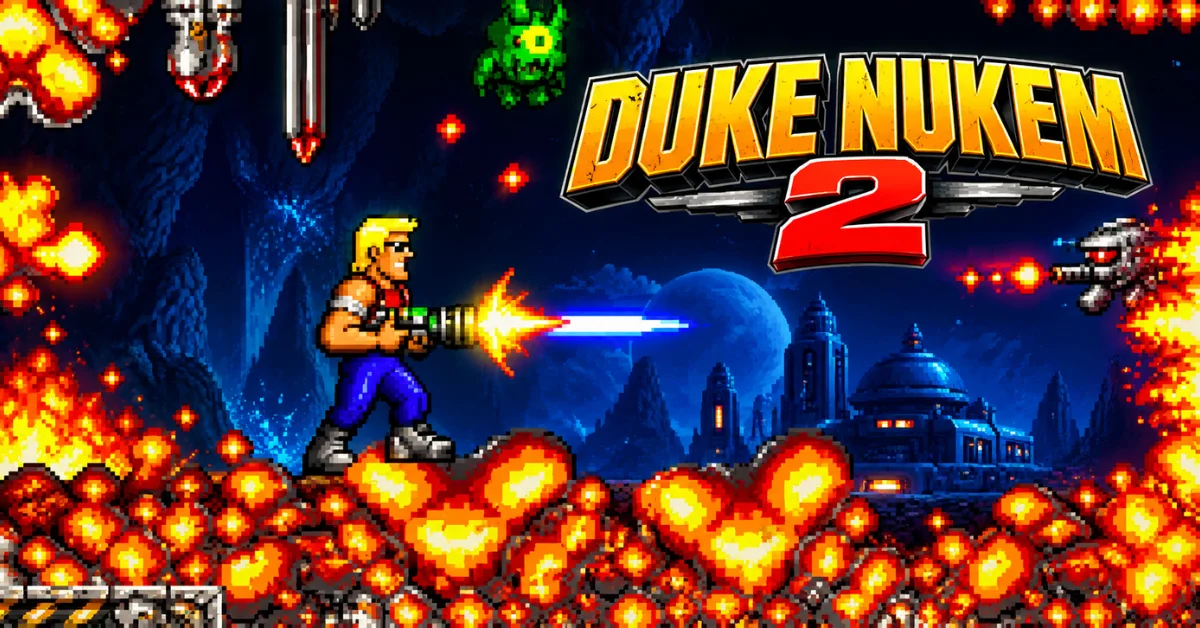
Duke Nukem II, also commonly searched as Duke Nukem 2, is a 2D action platformer that predates Duke Nukem 3D. Instead of exploring 3D environments from a first person view, you control Duke from the side while running, jumping, shooting enemies, collecting items and finding your way through each level.
The story begins with Duke being captured by the Rigelatins, who want to use his brain in their plans against Earth. Duke escapes and must fight his way through their territory. The game also gives Duke more abilities and weapons than the first Duke Nukem.
Depending on the situation, you can use weapons such as the flamethrower, rocket launcher and laser cannon while collecting items that help you survive and reach blocked areas.
How to Play Duke Nukem 2?
Playing Duke Nukem 2 is straightforward once the game has loaded.
- Start the browser game.
- Click inside the game window so it receives keyboard input.
- Use the arrow keys to move Duke and aim.
- Press Ctrl to jump.
- Press Alt to fire.
- Explore the level, avoid hazards, defeat enemies and find the route to the exit.
The browser version of RigelEngine documents arrow keys for movement, Ctrl for jumping and Alt for shooting. Its options can also be opened with F1, where controls can be customized.
Duke Nukem 2 Controls
| Action | Default Key |
|---|---|
| Move left/right | Left / Right Arrow |
| Aim up | Up Arrow |
| Crouch/aim down | Down Arrow |
| Jump | Ctrl |
| Shoot | Alt |
| Main menu | Esc |
| Options | F1 |
The exact behavior of some keys can depend on the implementation being used. The original game manual and the modern RigelEngine documentation both use the arrow keys, Ctrl and Alt as the core keyboard controls.
Duke Nukem 2 Gameplay
Duke Nukem 2 combines traditional platforming with shooting. You are not simply moving from the left side of a level to the right. Levels contain obstacles, enemies, barriers, collectibles and routes that require you to pay attention to what is around you. Duke starts with a basic default weapon, while stronger weapons can be found during the game.
Some weapons have limited ammunition so using them carefully can matter when facing tougher enemies or difficult sections. The game also uses items and access devices to make exploration part of the challenge. Keys and access cards can open otherwise blocked routes while other items can help Duke deal with specific obstacles.
A useful approach is to avoid rushing through unfamiliar sections. Look for platforms, barriers, pickups and alternative routes before committing to a jump or attack.
Duke Nukem 2 Levels, Enemies and Bosses
Duke Nukem II has four episodes with eight levels each, giving the full game 32 levels. The final level of each episode includes a boss encounter.
Levels
The four episodes give the game a gradual sense of progression while changing the visual environments and challenges. Some stages also include animated background elements and different environmental hazards. The level design mixes straightforward platforming with sections where you need to find the correct item or route before continuing.
Enemies and Hazards
Enemies are only one part of the challenge. Environmental obstacles can be just as important, particularly when moving through areas containing barriers or other hazards. Because Duke can aim in different directions and use several weapons, positioning matters. Jumping directly into an enemy is often less useful than finding a safe position and attacking from there.
Boss Battles
Each episode finishes with a boss fight so reaching the end of a level does not necessarily mean the challenge is over. Boss encounters provide a change from the normal platforming and require repeated attacks rather than simply reaching an exit.
Can You Play Duke Nukem 2 in a Browser?
Yes. Duke Nukem 2 has a browser based version that runs through WebAssembly. The available RigelEngine web build is specifically described as a WebAssembly/Emscripten version of the engine allowing the game to run inside a browser rather than requiring a traditional native installation. This is useful if you want a quick way to try the game without setting up DOSBox or installing a native source port.
However, there is an important limitation: the web version is described by its developers as work in progress and may have limitations that do not affect the native version. That means browser compatibility should not be presented as identical to running the game through a native installation on every device.
Is Duke Nukem 2 Online the Same as the Original?
The browser implementation is based on RigelEngine, a modern reimplementation designed to reproduce Duke Nukem II while adding features such as widescreen support, improved controller support and other modern conveniences. So the browser experience is a modern way of running the classic game rather than a newly developed Duke Nukem sequel. If side scrolling action is what you are after, our action games collection includes more browser picks such as Super Mario Bros. and Alien Hominid.
Can You Play Duke Nukem 2 on PC?
Yes. The original game was released for MS-DOS and modern PC options include DOSBox based releases and modern reimplementations such as RigelEngine. PCGamingWiki lists the original DOS release and later Windows, macOS and Linux releases using DOSBox.
RigelEngine is particularly useful for modern systems because it adds features that were not available in the original executable, including adjustable display settings, widescreen support, controller options and quick saving. For someone who only wants to play the game quickly, however, the browser route removes much of that setup.
Duke Nukem 2 vs Duke Nukem 3D
The two games are easy to confuse because they belong to the same series but their gameplay is very different.
| Feature | Duke Nukem 2 | Duke Nukem 3D |
|---|---|---|
| Release | 1993 | 1996 |
| Style | 2D platformer | First person shooter |
| View | Side scrolling | First person |
| Core gameplay | Platforming and shooting | FPS combat and exploration |
| Original platform | MS-DOS | MS-DOS |
| Series position | Early Duke Nukem sequel | Later major series entry |
Duke Nukem II is therefore the game to look for if you want the classic 2D Duke Nukem platformer rather than the first person gameplay associated with Duke Nukem 3D.
Duke Nukem 2 Full Version and Shareware
Duke Nukem II was distributed in both commercial and shareware forms during its original PC era. Modern implementations such as RigelEngine are designed to work with the game's original data rather than simply replacing the game itself.
This distinction matters because finding an old executable online does not automatically mean that it represents the complete commercial release. For legal access to the full game use a legitimate source for the required game data. The browser version should not be presented as a way to obtain copyrighted game files illegally.
Conclusion
Duke Nukem II is worth understanding as a classic 2D Duke Nukem game, not as an early version of Duke Nukem 3D. Its combination of platforming, shooting, exploration, weapons, items and episode based progression gives it a distinct identity.
If your goal is simply to try the game the browser version provides a much easier starting point than configuring an old DOS environment. Just keep in mind that the WebAssembly build is still documented as a work in progress so its behavior may vary from the native version.
Frequently Asked Questions
What is Duke Nukem 2?
Duke Nukem II is a 1993 2D side scrolling action platformer developed and published by Apogee Software. It is the sequel to the original Duke Nukem and came before Duke Nukem 3D.
Can I play Duke Nukem 2 without downloading it?
Yes. A WebAssembly version of RigelEngine allows Duke Nukem II to run in a web browser. The project notes that its web version is still a work in progress so browser behavior can differ from the native version.
How do you play Duke Nukem 2?
Use the arrow keys for movement and aiming, Ctrl to jump and Alt to shoot. The browser version also provides an options menu for customizing controls.
How many levels are in Duke Nukem 2?
The full game contains 32 levels, divided into four episodes with eight levels each.
Is Duke Nukem 2 a 2D game?
Yes. Duke Nukem II is a 2D side scrolling platform game rather than a first person 3D shooter.
Is Duke Nukem 2 the same as Duke Nukem 3D?
No. Duke Nukem II is a 2D platformer released in 1993 while Duke Nukem 3D is a later first person shooter. They share the same main character and series but have very different gameplay styles.
Can I play Duke Nukem 2 on mobile?
Only with the right input. This web build has no touch controls, so on a phone or tablet Duke will simply run through the intro loop unless you connect a keyboard or a game controller. A desktop browser with a physical keyboard is the safer setup.
Does Duke Nukem 2 work on modern PCs?
Yes. DOSBox based releases and modern projects such as RigelEngine provide ways to run the game on current operating systems. RigelEngine also adds modern display and controller features.
What are the default Duke Nukem 2 controls?
The core controls are Arrow Keys for movement and aiming, Ctrl for jumping and Alt for shooting.