
More like this
 Exclusive Works on phone ArrowGo 3D
 Exclusive Works on phone BlockBuster Puzzle
 Exclusive Works on phone Hexa Puzzle 3D
 New Works on phone Rabbit Samurai
 Exclusive Works on phone Wood Screw 3D
 Achievement Unlocked
 New Bloxorz
 Breaking the Bank
 Exclusive Works on phone Bubble Shooting 3D
 Exclusive Works on phone Color Water Sort 3D
 Works on phone Doctor Acorn 2
 Game Inside a Game
Wood Blocks 3D: Play Online for Free
Free • No download • No sign up
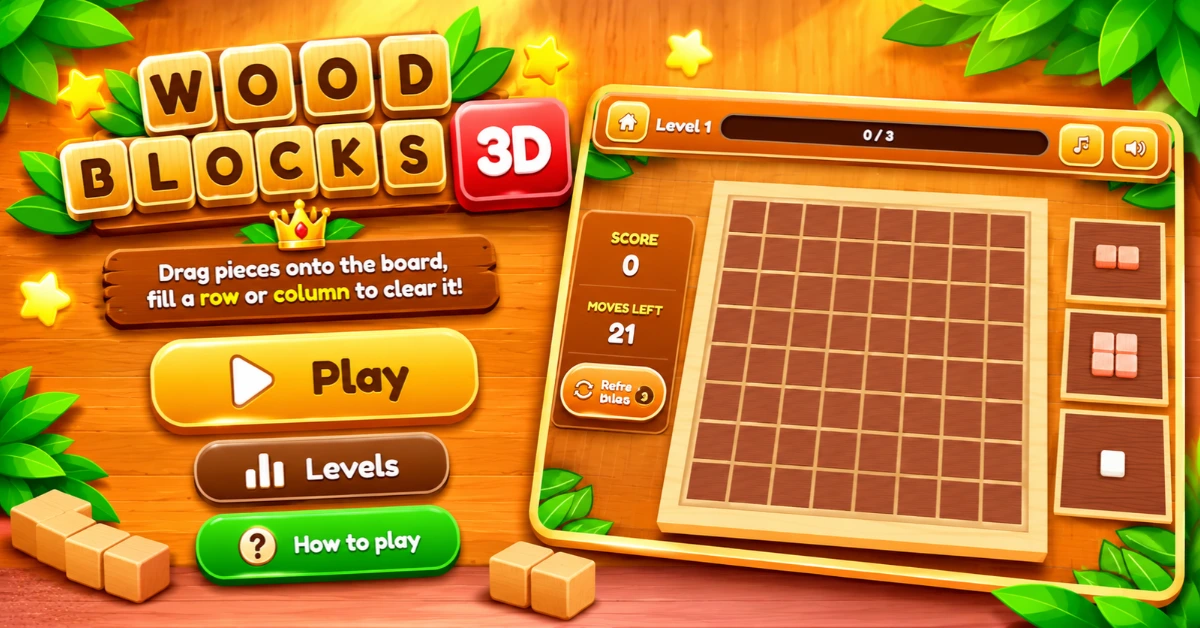
Wood Blocks 3D is a free wooden block puzzle game where you place different shapes on a grid, complete rows and columns and try to achieve the highest score possible. Play online, plan your moves carefully and keep the board clear for new pieces. The challenge is not just fitting blocks but choosing the right placement before space runs out.
Play Wood Blocks 3D Online
Play Wood Blocks 3D directly in your browser without downloading a separate game file. The browser version lets you enjoy the wooden block puzzle experience on any supported device. Choose a block, move it onto the board and find a position where it fits. Complete horizontal rows or vertical columns to clear space and earn points. Keep placing pieces while looking ahead to avoid running out of room.
The game is easy to start and does not ask for an account, an install or a payment. Open the page, wait for the board to appear and drag your first piece out of the tray. Because everything runs in the browser with no download, many players look for it as a free unblocked puzzle game they can open on almost any device. Every run is short enough for a quick break and deep enough to keep your attention once the tray starts throwing awkward shapes at you.
What Is Wood Blocks 3D?
Wood Blocks 3D is a wooden block puzzle game developed by Gaming Corner. It combines simple drag and drop controls with strategic thinking. Instead of racing against a timer the main challenge is deciding where each piece should go and how to keep enough space for the next shapes. It is a Gaming Corner exclusive, so this exact browser version is only published here.
The game provides different wooden block shapes that must fit into an existing grid. When you complete a full row or column the occupied cells are cleared, creating room for more pieces. Its simple rules make it accessible to new players but the changing combinations of available shapes make longer runs more challenging.
Unlike traditional falling block games, you choose where to place each piece. You need to think about the current move as well as the spaces that will remain afterward. The result is a calm 3D block puzzle that you can pick up in seconds and still find depth in after many runs.
Understand the Three Available Blocks
One important part of the game is considering all the available shapes before placing anything. You might receive a long horizontal piece, a small square and an L shaped block. Each requires a different amount of space.
Do not automatically place the smallest piece first. Sometimes it is better to position a large block while a suitable open area is still available.
How to Play Wood Blocks 3D?
The basic gameplay is easy to understand. You receive wooden shapes, select one and place it somewhere on the grid where its entire shape fits. Follow these steps to get started.
- Look at the available pieces: check the shapes provided before making your first move.
- Choose a block: select one of the available wooden pieces from the tray.
- Place it on the grid: drag it to an empty area where every part of the shape fits.
- Complete a line: fill an entire horizontal row or vertical column to clear it.
- Use the new space: continue placing the remaining pieces while keeping the board open.
- Repeat: keep clearing lines and earning points for as long as you can.
How to Clear Rows and Columns
A row is a horizontal line of cells, while a column runs vertically. When every cell in one of these lines is occupied the game clears that line and opens the space again. For example, imagine that a horizontal row has only two empty spaces remaining. If you have a block that can fill both spaces, placing it may complete the row and create additional room. This is one of the most important mechanics to understand because clearing lines helps prevent the board from becoming crowded.
Keep the Board Open
Placing a block in an empty area does not always make it a good move. You should consider the shape of the remaining spaces. A board with several useful open areas is generally easier to manage than one containing scattered single cell gaps. Large pieces need enough connected space so avoid creating awkward gaps whenever possible.
Wood Blocks 3D Rules, Scoring and Refresh
The objective is to continue placing pieces, clearing lines and building a higher score without filling the board to the point where the available pieces cannot fit. Understanding the scoring opportunities can help you make better decisions.
How Line Clearing Works
A complete horizontal row or vertical column disappears from the grid. The cleared cells become available for future pieces. When planning a placement, check whether it can complete an existing line or bring several lines closer to completion.
How to Earn More Points
Your score increases through successful puzzle placements and line clearing opportunities. Clearing lines is central to making progress. Instead of placing pieces randomly, look for moves that help you complete lines while maintaining enough room for other shapes.
The exact scoring values can vary by game implementation so it is better not to assume a fixed number of points for every placement or combo.
Making Multiple Line Clears
Multiple line clears can be valuable because one placement may remove more than one completed line. For example, a block placed near an almost complete horizontal row and vertical column may finish both at the same time, provided its shape fits the remaining cells. Before placing a piece, check whether it can complete more than one line. However, do not sacrifice essential open space just to chase a difficult combo.
When Does the Game End?
The game ends when the available pieces cannot be placed legally on the remaining board. This can happen even when some empty cells are still visible. A small isolated space might be useless if the remaining pieces are larger or have shapes that cannot fit into it. That is why connected empty spaces are often more valuable than simply having many individual empty cells.
Levels, Moves and Stars
The browser version on this page is played as a series of levels rather than one endless run. Every level shows a line goal and a limited number of moves, and you clear the level by reaching the goal before the moves run out. Finishing with moves to spare earns stars, up to three for an efficient run, and the refresh button lets you swap all three tray pieces when none of them can fit.
Refresh Instead of Power Ups
Newer versions of block puzzle games often add rotation and removal tools. This version keeps the rules simple and gives you a different kind of help: a refresh button that swaps all three pieces in the tray. Use it when none of the shapes you have can fit your board, but remember that each refresh uses one of the charges shown next to the button.
Save the refresh for a real dead end rather than an awkward shape. If a piece can still go somewhere useful, placing it keeps your options open and saves the swap for a turn where the board is genuinely stuck.
Best Wood Blocks 3D Tips and Strategies
Good results depend on managing space and thinking ahead. These practical strategies can help you avoid common placement mistakes.
1. Check All Three Pieces Before Placing One
Do not focus only on the first available block. Examine all the shapes and consider where each one could fit. For example, if you have a large square, a long bar and a small corner shaped piece, identify a suitable location for the large square first. Otherwise, a smaller placement might occupy the only area where it can fit.
2. Preserve Space for Large Blocks
Large shapes are harder to place because they require a bigger connected area. Try to keep at least one reasonably open region on the board. You do not need to reserve a specific corner or position every time; the important thing is to avoid breaking the board into too many small spaces.
3. Avoid Isolated Empty Spaces
A single empty cell surrounded by occupied cells can become difficult to use. This is especially problematic when your available pieces contain multiple connected cells. You may have several empty spaces but still be unable to place a particular shape. Whenever possible, use placements that leave useful connected areas.
4. Plan Multiple Line Clears
Look for opportunities where one piece can complete two lines. However, consider the position of your remaining pieces before making the move. A double line clear is not always the best option if it leaves the board in a difficult arrangement. A good move should improve both your current position and your future placement options.
5. Balance Immediate Clears With Future Moves
Clearing a line immediately feels useful but sometimes waiting for a better placement is more effective. Suppose a row is nearly complete but filling it requires placing a large block in the middle of your only open area. If you have another safe placement available, consider using it first. The best decision depends on the remaining pieces and the shape of the board.
6. Keep the Board Flexible
Try to maintain a mixture of open spaces rather than leaving only narrow gaps. Different block shapes require different amounts of room. A flexible board gives you more placement choices and reduces the risk of getting stuck when an awkward combination appears.
Can You Play Wood Blocks 3D on Mobile and PC?
Wood Blocks 3D runs in the browser on desktop, tablet and phone, so one page covers every supported device. The board and the tray resize themselves, and the same drag controls work with a mouse or a finger.
Playing on Desktop
On a supported browser, you can use your mouse to select and position wooden blocks. Open the game page, wait for the game to load, select a piece, drag it to an available position and release it to place the block. A larger screen can make it easier to examine the entire board and compare possible placements.
Playing on Android and iPhone
The browser version works with touch controls on both Android and iPhone. Tap a piece in the tray, drag it onto the board and lift your finger to drop it. The board switches between portrait and landscape layouts, so the grid and the tray stay readable on a phone. A current browser gives the smoothest experience.
Playing on Tablets
A tablet offers a larger touchscreen than most phones, making it convenient to view the entire grid and move pieces. The board scales to the screen size, so the whole puzzle stays visible in both orientations.
If the Game Is Not Loading
Refresh the game page and check your internet connection. Try an updated browser and temporarily disable extensions that might interfere with the game. If the game freezes or gets stuck, close unnecessary browser tabs and reload. On mobile, closing and reopening the browser or app may also help. When a school or workplace network is in use, access may be restricted by network policies.
Wood Blocks 3D vs Other Block Puzzle Games
Wood Blocks 3D belongs to the wider block puzzle category but not every game with wooden blocks has the same mechanics. Tetris asks you to arrange falling shapes into complete horizontal lines. Woodoku places blocks on a Sudoku style grid and clears rows, columns or squares. Tap 3D Wood Block Away removes blocks from a 3D structure according to their directional arrows.
The main difference is how players interact with the pieces. Wood Blocks 3D focuses on selecting and positioning shapes. Tetris requires reacting to falling pieces, while Tap 3D Wood Block Away is about finding valid directions to remove blocks from a 3D structure.
If you enjoy planning placements and managing limited space, Wood Blocks 3D offers a different experience from traditional falling block puzzles. For more of the same thinking, try Wood Screw 3D or Spin Stack 3D, or browse the full puzzle games category for more board based challenges such as Hexa Puzzle 3D.
Conclusion
Wood Blocks 3D is a straightforward wooden block puzzle game that becomes more challenging as the board fills up. Its simple placement mechanics make it easy to understand, while managing space, planning combinations and choosing the right moves provide the real challenge.
If you want to improve your score, focus on keeping connected spaces open, checking all available pieces before placing them and avoiding unnecessary gaps. Start playing, learn how the board behaves and develop a strategy that gives you more options with every move.
Frequently Asked Questions
Is Wood Blocks 3D free to play?
Yes. You can play the browser version here for free without buying anything. The page may show ads, and there is no download or account needed.
Who developed Wood Blocks 3D?
Wood Blocks 3D was developed by Gaming Corner and is published as an exclusive browser game on this site.
How do you get a high score in Wood Blocks 3D?
Focus on keeping the board open, checking all available pieces before placing them and creating opportunities to clear multiple lines. Avoid filling useful areas with placements that leave isolated gaps.
Can you rotate blocks in Wood Blocks 3D?
There is no rotate button in this version. Pieces keep the shape you are given in the tray, so plan around the orientation they arrive in.
Does Wood Blocks 3D have a time limit?
No. There is no countdown timer. Each level gives you a fixed number of moves, so the pressure comes from how you spend them, not from the clock.
Can I play Wood Blocks 3D on mobile?
Yes. The game runs in the browser with touch controls on phones and tablets, and mouse controls on desktop, so mobile, desktop and tablet are all supported.
Why does Wood Blocks 3D end when empty spaces remain?
The remaining spaces may not be large or correctly shaped enough for the available pieces. The game checks whether a legal placement is possible, not simply whether the board contains empty cells.
Is Wood Blocks 3D similar to Tetris?
Both games involve arranging shapes and clearing lines but their mechanics are different. Wood Blocks 3D lets you choose where to place available pieces, whereas Tetris uses falling shapes that must be positioned before they reach the bottom.