
More like this
 Exclusive Works on phone ArrowGo 3D
  Exclusive Works on phone Wood Screw 3D
  New Bloxorz
  Exclusive Works on phone Spin Stack 3D
  Exclusive Works on phone Bubble Shooting 3D
  Works on phone Cool Math Games
  Works on phone Sliding Puzzle
  Works on phone 2048
  Achievement Unlocked
  Breaking the Bank
  Candy Crush
  Works on phone Cut the Rope
 Hexa Puzzle 3D: Play Hexa Puzzle Online Free
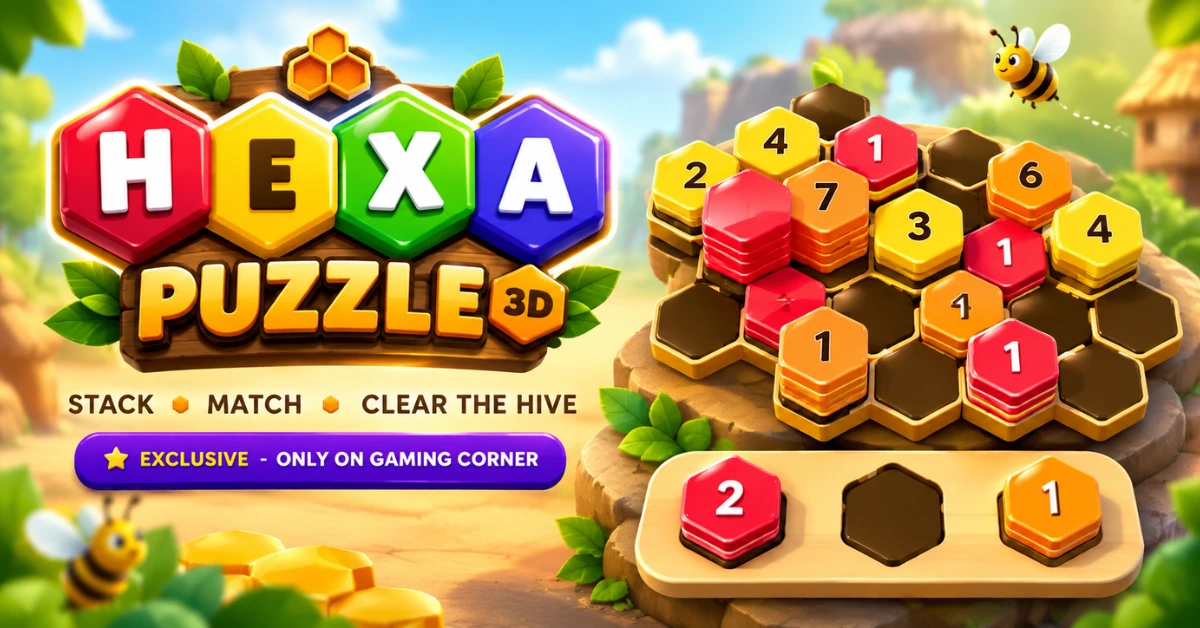
If you enjoy puzzle games that make you slow down and think before making the next move, Hexa Puzzle 3D is worth trying. The game takes the hexagon shape onto a 3D board and is built for quick browser play without making you install a separate app.
You can play Hexa Puzzle 3D online directly on GamingCorner. Every level gives you a tray of hexagonal stacks and a hive of hexagon cells to fill. You drag a stack out of the tray, match it with a stack of the same colour and keep building until the hive clears.
Free • No download • No sign up • Works on mobile/school devices
What Is Hexa Puzzle 3D?
Hexa Puzzle 3D is a hexagon based puzzle game built around stacking, matching and clearing. The board is a honeycomb of hexagon cells, and you start each level with three stacks of hexagonal tiles waiting in a tray.
Each stack carries a colour on top. Drop a stack next to another stack of the same colour and the two merge into one taller pile. Once a stack reaches ten tiles of one colour it clears, the hive opens up a little and your progress bar moves towards the level goal.
Hexa Puzzle 3D is a Gaming Corner exclusive, so this is not a clone of another game that shares the name. It plays on a 3D board with a tilt view and a top view, which makes the stacked hexes easier to read as the piles grow taller.
How to Play Hexa Puzzle 3D?
The loop is simple to learn and the boards get tighter as you go. Every move is a placement, so the useful habit is to read the hive and the tray before you let go of a stack.
- Drag one of the three stacks out of the tray.
- Drop it on an empty cell beside a same-coloured stack to merge the two.
- Build a single colour up to ten tiles and that stack clears.
- Clear the level goal before every cell on the board is full.
Pick a Stack From the Tray
Three stacks wait in the tray and each one shows the colour sitting on top. Drag the stack you want and the cells that can take it light up, so you can see your options before you commit.
Drop It Beside a Matching Stack
Every placement goes onto an empty cell. Drop the stack beside a pile that carries the same colour on top and the two merge into a single taller stack. If none of the neighbouring stacks match, the stack simply starts a new pile, which is a move you will sometimes want and sometimes need to avoid.
Reach Ten to Clear the Hive
A stack clears once ten tiles of the same colour are stacked together. Clearing tiles is how you make progress, and clearing more than one stack in the same chain builds a combo that clears the board faster.
Keep Space on the Board
The danger in this hex puzzle is not an illegal move, it is running out of room. When every cell is full the level stops, so think about what your move leaves behind as much as what it clears.
Hexa Puzzle 3D Levels, Stars and Boss Levels
Hexa Puzzle 3D has 100 levels across 10 worlds, and the first world is Honey Meadow. Levels are played in order and new boards unlock as you finish the ones in front of them.
Every level is scored out of three stars. Stars come from your move count against the level par rather than from speed, so a tidy sequence earns more than a fast one. Each level also tracks your best move count and your best time.
A boss level closes each world. Boss boards are larger and busier, and some cells arrive locked. A locked cell opens once you have cleared enough tiles, so keep clearing and the route back into the board opens on its own.
Some boards also contain stones. Clearing a stack next to a stone damages it, and a stone that runs out of health disappears and frees the cell underneath. Your stars and unlocked levels are saved in the browser, so you can close the page and carry on later.
Hexa Puzzle 3D Controls, Camera Views and Settings
The main control is drag and drop. On desktop you pick a stack up with the mouse and drop it on a glowing cell, and on a touchscreen you drag it with your finger. If dragging feels awkward on your device you can also tap the stack in the tray and then tap the cell you want, which is how the game teaches a move if you get stuck.
Two camera views are built in. Tilt view shows the hive at an angle and suits tall stacks, while Top view looks straight down when you need to read the exact shape of the board. You can switch between them at any time and pick a default view in Settings.
Settings also hold sound, music, vibration and reduced motion, along with colourblind symbols that put a shape on each top tile and show counts that print a number on every stack. There is a Random board with Easy, Medium and Hard as well, plus a reset for saved progress.
Along the bottom of the board you have four buttons:
- Undo takes back your last move and is free to use.
- Hint shows a suggested move, three times per level.
- Hammer smashes one stack and frees its cell, once per level.
- Restart clears the board and starts the level again.
Tips and Strategy for Hexa Puzzle 3D
You do not need complicated tricks to get better at this type of puzzle. Better results usually come from paying attention to colour and space.
Grow the Colour You Already Have
A merge only happens when the top colours match, so a pile that is already eight tall is worth far more than three separate little stacks. Look for the colour the hive has already started building and feed it.
Read the Tray Before You Place
The tray tells you what is coming next. If two of the three stacks share a colour, plan a couple of moves so those two can meet on the board instead of being separated by a pile you did not need.
Do Not Bury a Colour You Still Need
Merging with the wrong neighbour can leave a colour you still need at the bottom of a tall pile where nothing can reach it. Check what the merge will cover before you commit.
Protect a Free Cell
A full hive is a lost level, so keep at least one free cell near the stacks you are growing. Space is the resource you are really managing here, and one spare cell is often the difference between a clear and a restart.
Save the Hint and the Hammer
Both are limited and both hold the level at two stars, so treat them as a way out of a dead board rather than a normal move. If you are stuck, Undo is free and often enough on its own.
Hexa Puzzle vs. Hexa Sort and Other Hex Games
The name hexa puzzle is used for several different games online. Some hex games are number merging puzzles and others are sorting games where you move coloured tiles between tubes or stacks. Hexa Puzzle 3D is its own build: a honeycomb board, a tray of three stacks and a ten tile clear.
That means advice written for another game with a similar name will not always apply here. If a tip starts with numbers, tubes or tile swapping, it belongs to a different title. The safe rule is to follow what the board and the tray in front of you are actually doing.
Hexa Sort is the closest relative and both are fair to call stacking puzzles, but the board and the goal are different. Hexa Sort style games are usually about arranging coloured hexagon tiles into matching groups, while Hexa Puzzle 3D asks you to build a ten tile stack on a shared honeycomb and clear it before the board fills up.
Is Hexa Puzzle 3D Free to Play?
Yes. Hexa Puzzle 3D is free to play on GamingCorner and needs no download and no sign up. Open this page, use the play area above and the game starts in your browser. Nothing has to be installed and nothing has to be bought to work through all hundred levels.
Conclusion
Hexa Puzzle 3D is a straightforward choice for players who want a visual puzzle built around hexagonal shapes without committing to a large game or complicated setup. The useful way to approach it is simply slow down, read the tray and the hive, grow the colour that is already building and keep one cell free. If you enjoy hex puzzle games, block puzzles or casual brain games, start the game above and see how far your planning takes you.
Frequently Asked Questions
Can I play Hexa Puzzle 3D online?
Yes. Hexa Puzzle 3D runs in your browser on GamingCorner, so you can start playing from this page without downloading anything or creating an account.
Is Hexa Puzzle 3D a hexagon puzzle game?
Yes. The board is a honeycomb of hexagon cells and every tile you place is hexagonal, which is where the name comes from.
How do you clear a stack in Hexa Puzzle 3D?
Place a stack on an empty cell beside another stack with the same colour and the two piles merge. Once a stack reaches ten tiles of one colour it clears, and those tiles count towards the level goal.
Is Hexa Puzzle the same as Hexa Sort?
No. Both are stacking puzzles with hexagon tiles, but they are different games. Hexa Sort style games usually ask you to gather coloured tiles into matching groups, while Hexa Puzzle 3D is about building a ten tile stack on a shared honeycomb and clearing it before the board fills up.
Can I play Hexa Puzzle 3D on mobile?
Yes. The game supports touch and you drag stacks out of the tray with your finger. If dragging is uncomfortable on a small screen you can tap a stack and then tap the cell you want.
What happens when the board fills up in Hexa Puzzle 3D?
The level stops and the game tells you there is no space left. You can undo your last move, use the Hammer to smash a stack and free a cell, or restart the board and try a different order.
Is Hexa Puzzle 3D free to play?
Yes. Hexa Puzzle 3D is free to play on GamingCorner with no download and no sign up, and your stars and unlocked levels are saved in your browser.