
More like this
 Exclusive Works on phone ArrowGo 3D
 Exclusive Works on phone Hexa Puzzle 3D
 New Bloxorz
 Exclusive Works on phone Spin Stack 3D
 Exclusive Works on phone Wood Screw 3D
 Exclusive Works on phone Bubble Shooting 3D
 Works on phone Cool Math Games
 Works on phone Sliding Puzzle
 Works on phone 2048
 Achievement Unlocked
 Breaking the Bank
 Candy Crush
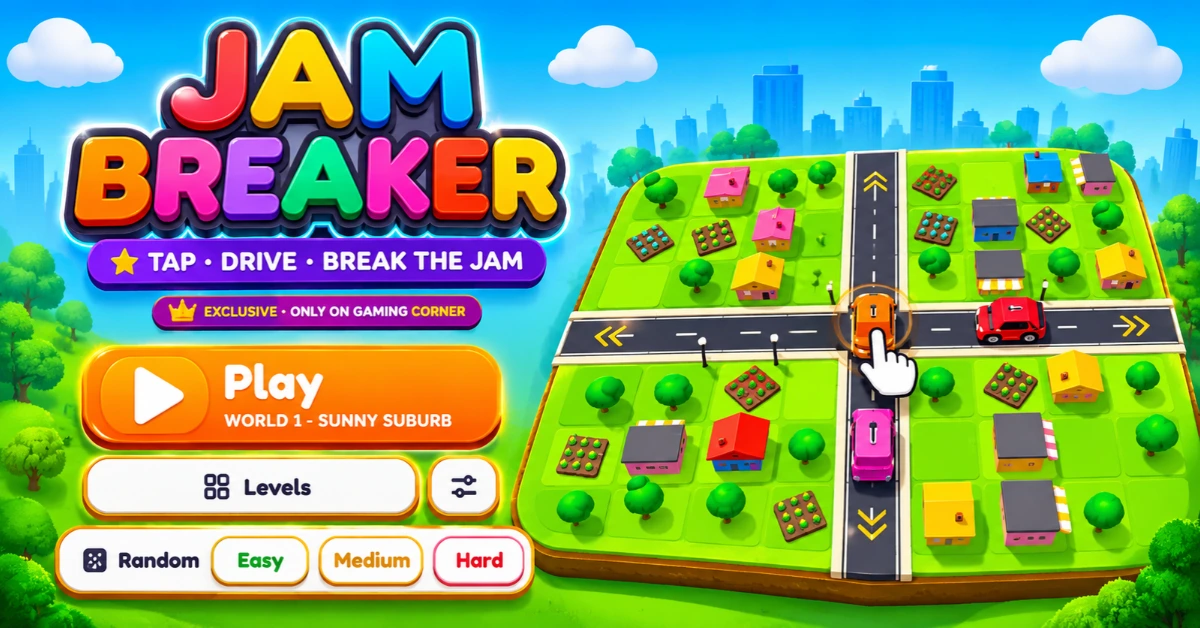
Jam Breaker Game: Play Free Online (3D Traffic Puzzle)
A crowded road can look simple until you have to find the right way to clear it. Jam Breaker turns that challenge into a 3D traffic puzzle where every move matters. Plan your routes, move vehicles carefully, avoid crashes and work through increasingly challenging levels.
You can play Jam Breaker online on Gaming Corner. The game features 200 levels across 20 worlds, with Easy, Medium and Hard difficulty options. You can also choose Random mode when you want a less predictable challenge.
If you enjoy car puzzles, traffic clearing games or online traffic escape puzzles, Jam Breaker offers a different way to test your planning and decision making skills.
What Is a Jam Breaker Game?
Jam Breaker is a 3D traffic puzzle game available exclusively on Gaming Corner. Its central idea is simple: tap, drive and break the jam. You need to think about vehicle routes before making moves because careless actions can lead to crashes and waste your available moves.
Unlike traditional traffic jam puzzles that focus on sliding cars around a fixed grid, Jam Breaker presents its own tap and drive gameplay. The challenge is to understand vehicle paths and make thoughtful moves rather than tapping randomly.
The game includes multiple worlds, different difficulty settings, a move counter, crash tracking, coins and a combo indicator. These elements give you more to consider than simply clearing a road.
How to Play Jam Breaker
The basic objective is to complete each level by making the right moves and clearing the traffic challenge. Before tapping a car, take a moment to understand its route and consider how your action could affect the other vehicles. Follow these steps to get started:
- Open the game: Visit the Jam Breaker page on Gaming Corner.
- Start a level: Select Play Level 1 or open the level selection screen.
- Choose a challenge: Select an available difficulty or try Random mode.
- Check vehicle routes: Hover over or hold a car to preview its path.
- Plan your move: Think about the route before tapping.
- Avoid unnecessary crashes: A crash still costs a move so careless taps can quickly leave you with fewer options.
- Complete the level: Finish the traffic challenge to reach the Level Complete screen.
The most important rule is to plan before you tap. The game specifically warns that every tap costs a move, even when it results in a crash.
Jam Breaker Controls
Jam Breaker uses a straightforward interaction system but understanding its available options can help you make better decisions.
The route preview is particularly useful. Instead of guessing where a vehicle might go, you can inspect its path before committing to a move.
Tilt View vs. Top View
The game provides two camera options: Tilt and Top.
- Tilt: Offers an angled view of the game scene.
- Top: Provides a view from above, which may make it easier to inspect vehicle positions and routes.
Try both views and use whichever makes the current puzzle easier to understand.
Jam Breaker Game Features
Jam Breaker combines traffic puzzles with level progression, difficulty options and move management elements.
200 Levels Across 20 Worlds
The game lists 20 worlds and 200 levels, giving players a substantial collection of traffic puzzles to work through. The level selection screen lets you access available stages. After completing a level, you can continue with the Next option or return to replay levels.
Easy, Medium and Hard Modes
You can choose from three difficulty settings:
- Easy: A suitable starting point if you are learning the game's mechanics.
- Medium: An option for players who want a greater challenge.
- Hard: The more demanding difficulty choice.
The game also offers Random mode. This gives you another way to approach the available challenges when you do not want to follow a predictable selection.
Move Counter and Spare Moves
Jam Breaker tracks your moves and displays spare moves during gameplay. This makes planning important, each tap uses a move, including a tap that causes a crash. If you run out of moves the game displays an Out of moves screen. You can retry the level or use coins to get additional moves.
Coins and Extra Moves
Coins are part of the game's progression and extra move system. When you run out of moves the game offers five additional moves for 50 coins. The game also tells you when you do not have enough coins for this option. That makes careful movement useful, avoiding unnecessary actions can help you avoid reaching the extra move screen too soon.
Combo Indicator
Jam Breaker displays a combo indicator during gameplay. It is one of the elements shown alongside the move counter and other level information. The exact conditions for increasing or maintaining a combo are not explained on the game's visible interface so it is better not to assume a specific scoring formula.
Level Replay and Progress Reset
After completing a level, you can use the Replay Levels option to return to level selection. This is useful when you want to revisit an earlier challenge. There is also a Reset progress option in the settings. Be careful with it, the game warns that resetting erases your stars, coins and unlocked levels and that the action cannot be undone.
Best Jam Breaker Tips and Tricks
The best approach is to understand the vehicle routes before spending moves. Since every tap counts, a little planning can prevent avoidable mistakes.
1. Preview a Car's Route Before Tapping
Use the route preview by hovering over or holding a car. This gives you a chance to inspect its path before making a move. It is especially useful when several vehicles are close together or when you are unsure what will happen after selecting a car.
2. Avoid Random Taps
Do not tap vehicles simply to see what happens. A failed action or crash still costs a move. Instead, pause briefly and consider the likely result of each action. This is more useful than rushing through a level.
3. Watch the Move Counter
Keep an eye on your remaining moves and spare moves. If you are close to running out, be more selective about your next action. A move counter is not just a display element, it tells you how much room you have left to make decisions.
4. Use the Camera That Helps You Read the Puzzle
Switch between Tilt and Top when the current view makes vehicle positions difficult to understand. The Top view may help you inspect the layout, while Tilt gives you another perspective on the scene. Choose based on what you need to see.
5. Learn From Failed Attempts
If a move causes a crash, do not immediately repeat the same action. Check the route preview and reconsider the order in which you approach the puzzle. A failed attempt can show you which route or decision needs more attention.
6. Choose a Difficulty That Matches Your Skill
If you are new to the game, begin with Easy mode and learn how the movement and route preview systems work. Once you are comfortable, try Medium or Hard. Random mode is another option when you want variety.
How to Avoid Crashes and Save Moves
Crashes matter because they do not give you a free attempt. Jam Breaker explicitly states that every tap costs a move, even a crash. To manage your moves more carefully:
- Preview a vehicle's route before selecting it.
- Avoid tapping several cars without considering their paths.
- Pay attention to the move counter.
- Switch camera views if the current angle makes the layout difficult to read.
- If a level fails, review what caused the problem before retrying.
If you reach zero moves, you can retry the level. The game also offers five extra moves for 50 coins when you have enough currency. The useful lesson is simple a planned move is better than a rushed move.
Coins, Combos and Extra Moves Explained
Several interface elements appear during a level and understanding what they show can make the experience less confusing.
Coins: The game uses coins for its extra move option. The displayed offer is five additional moves for 50 coins.
Combos: A combo indicator appears during gameplay. However, the exact conditions behind the combo system are not explained in the visible instructions.
Spare moves: The move display includes a spare move count, helping you keep track of your remaining allowance.
Crashes: The game tracks crashes on the Level Complete screen and a crash still consumes a move.
These elements are worth watching, especially when a level becomes difficult and you need to decide whether to retry or use extra moves.
Jam Breaker vs. Traffic Escape Games
Searches for terms such as Traffic Escape game online free, Traffic Escape online and Traffic Escape game free play can lead to different games. Some use a familiar sliding car puzzle format, while others offer their own traffic clearing mechanics. Jam Breaker belongs to the broader traffic puzzle and vehicle routing category but it is a specific game published as a Gaming Corner exclusive.
It is important not to confuse it with a separate Traffic Escape app or another game using the same or a similar name. If you are looking for Jam Breaker, use its Gaming Corner game page rather than assuming that a similarly named mobile app is the same title. If you enjoy traffic escape puzzles, car movement challenges and vehicle routing games, Jam Breaker is worth trying as a different take on the genre.
Play Jam Breaker Online on Gaming Corner
Jam Breaker brings together vehicle routing, traffic puzzles and move management in a 3D game with 200 levels across 20 worlds. Its route preview option helps you plan before tapping, while crashes and limited moves make careless decisions costly.
If you enjoy car puzzle games and traffic clearing challenges, open Jam Breaker on Gaming Corner, choose a difficulty and see how carefully you can clear each level.
Frequently Asked Questions
Is Jam Breaker free to play online?
Jam Breaker is presented as a Gaming Corner exclusive game. You can visit its game page on Gaming Corner to start playing.
Where can I play Jam Breaker?
You can play Jam Breaker on Gaming Corner.
How many levels are in Jam Breaker?
The game lists 200 levels divided across 20 worlds.
Does Jam Breaker have difficulty modes?
Yes. The game provides Easy, Medium and Hard options, along with a Random mode.
How do you preview a car's route in Jam Breaker?
Hover over or hold a car to see its route. Checking the path before tapping can help you avoid unnecessary crashes.
What happens when you run out of moves?
The game displays an Out of moves screen. You can retry the level or use 50 coins to get five additional moves.
Do crashes use moves in Jam Breaker?
Yes. The game explicitly states that every tap costs a move, even if the action results in a crash.
Can you replay completed Jam Breaker levels?
The Level Complete screen includes a Replay Levels option, which takes you back to the level selection screen.
What is the difference between Tilt and Top camera views?
Tilt gives you an angled camera view, while Top switches to a view from above. You can use either option depending on which makes the puzzle easier to understand.
Is Jam Breaker the same as the Traffic Escape app?
No. Jam Breaker is identified as a Gaming Corner exclusive. Other games and apps may use the Traffic Escape name but they should not be treated as the same title.
Can you reset Jam Breaker progress?
Yes. The settings include a Reset progress option. However, the game warns that this erases stars, coins and unlocked levels permanently so only use it if you really want to restart your progress.